Take the faster path to growth. Get Smith.ai today.
Affordable plans for every budget.


Cold transfers put your team in a tough spot. The phone rings, you pick up, and with no idea who's calling or why, you're flying blind into a conversation your caller already started. That's a rough way to transition any call.
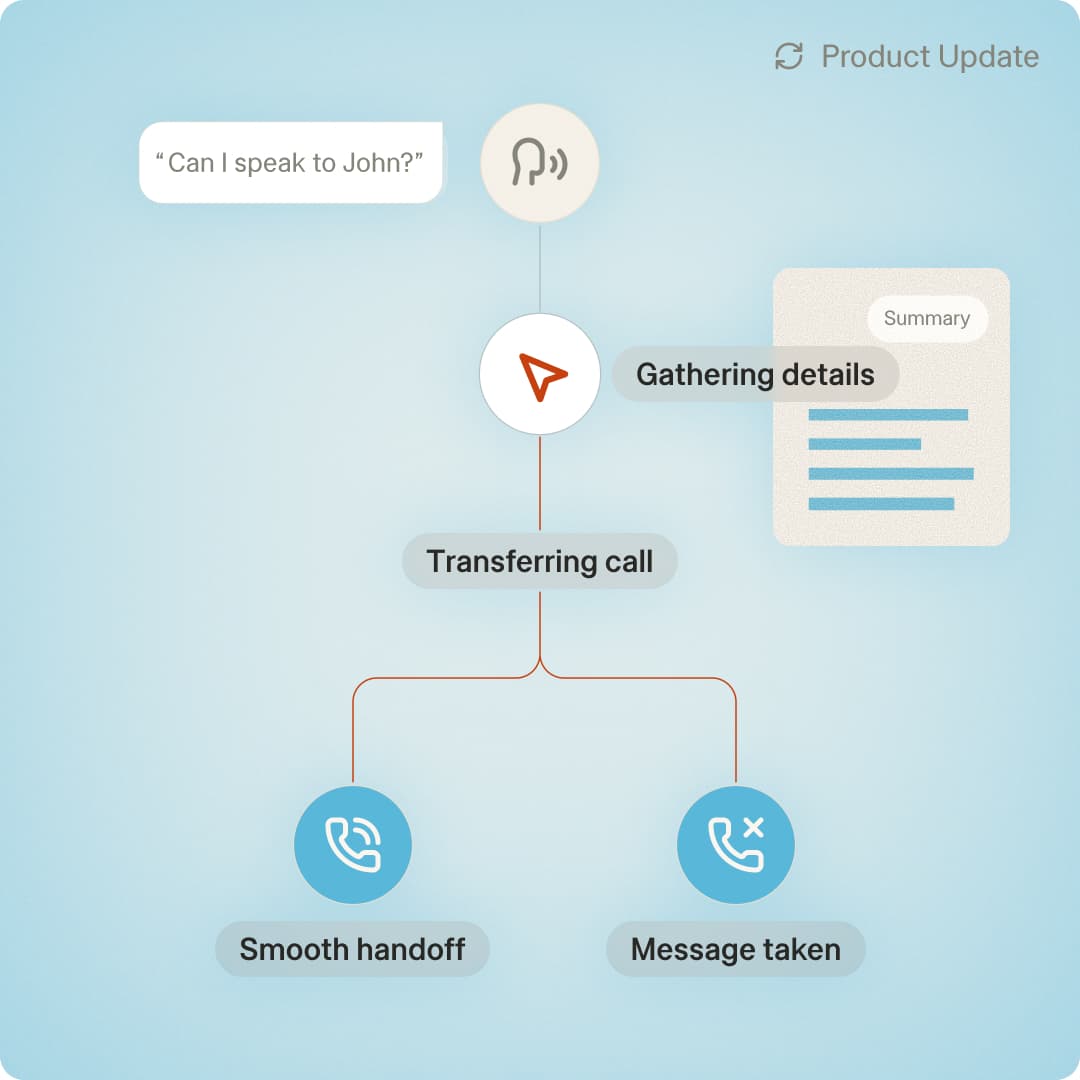
Warm transfers are now available as an opt-in setting for your AI receptionist. When enabled, your AI receptionist provides a brief summary on who's calling and why before connecting the call — and gives you the choice to accept or take a message.
Now, every transfer feels intentional, prepared, and professional.
When transfers happen without context, problems pile up fast:
Warm transfers solve this by ensuring you get the information you need about who is calling, and callers don’t need to repeat themselves, treating the handoff like a critical part of the caller experience.
Any business taking inbound calls benefits from a smarter handoff. The impact? Increased trust and improved caller experience.
Warm transfers are simple to turn on. From your AI Receptionist dashboard, you'll see a new Transfer Connection Method setting with two options:
With this feature enabled, your AI receptionist will:
If you're unavailable, or you decline the call, your AI receptionist circles back to inform the caller of your unavailability, and takes a detailed message — so no opportunity slips through.
Now, your AI receptionist’s handoffs can be more conversational, the way a human receptionist would do it. You get a quick briefing on the call, then the AI acts according to your acceptance or decline of the transfer.
Because warm transfers are a setting — not a workaround — you keep full control. Toggle it on for all transfers or stick with cold transfers if speed matters most for your business.
Your call flows, your call.
Warm transfers are available for all AI Receptionist accounts. Connect with our team to learn more about how warm transfers and other new features can help you deliver a sharper experience for every call.
Already using Smith.ai’s AI Receptionist?
Turn it on in your dashboard today.

Danielle Whyte is a marketing coordinator at Smith.ai.