Take the faster path to growth. Get Smith.ai today.
Affordable plans for every budget.


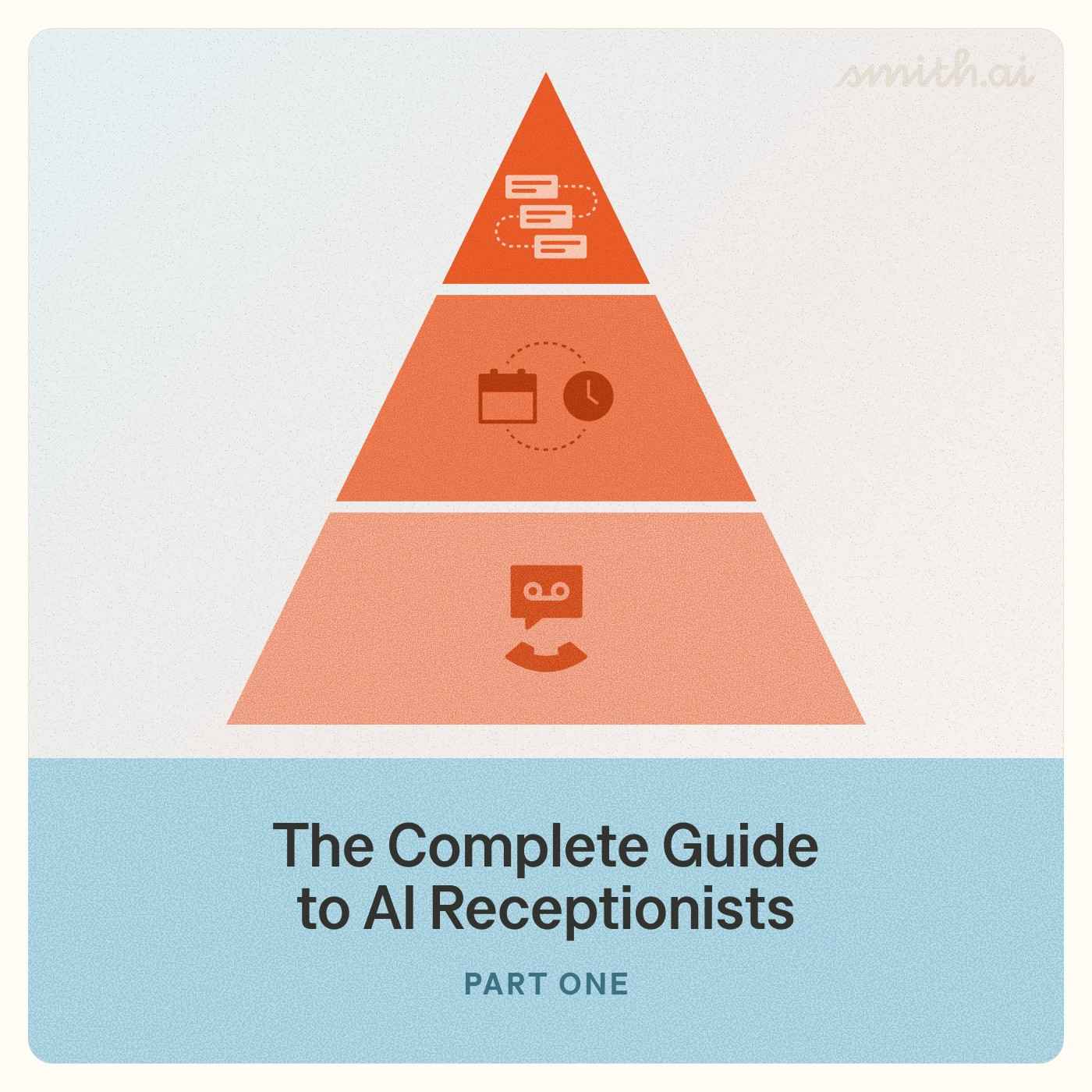
Not all AI receptionists are the same: the market spans three distinct tiers, from basic AI voicemail that takes messages to a fully integrated AI workforce that runs conditional intake, qualifies leads against practice-area criteria, syncs data to your CRM, and escalates complex calls to live agents. For small and mid-size law firms, the difference between tiers isn't cosmetic — a Tier 1 system answering a personal-injury intake call the same way it handles a spam call can cost the firm a five-figure case. Smith.ai, which has handled more than 20 million calls for over 5,000 businesses — roughly 80% of them law firms — operates at Tier 3, combining specialized AI agents with 500+ North American live agents available around the clock.
You're reading Part 1 of The Law Firm’s Guide to AI Receptionists.
Your phone is ringing. An AI is answering it. But what happens next — the quality of that interaction, the data it captures, the action it triggers — depends entirely on which category of AI solution is picking up.
The AI call handling space has exploded. Vendors are racing to plant their flags, and 'AI receptionist' has become a term that covers everything from a voicemail box with a robot voice to a fully integrated workflow engine that is indistinguishable from a human teammate — qualifying leads, booking consultations, updating your CRM, and routing calls based on intent in real time.
If you're evaluating solutions, understanding these distinctions isn't optional — it's the difference between solving your phone problem and creating a new one. To make sense of this landscape, it helps to recognize three essential dimensions:
Each of these dimensions shapes the decision differently, and collapsing them into a single “which vendor is best?” question is where most buyers go wrong.
Think of AI call handling technology as a pyramid. At the base, you have the most common and least capable solutions. At the top, you have a rarer, more sophisticated class of tool that functions less like a phone feature and more like a member of your team.
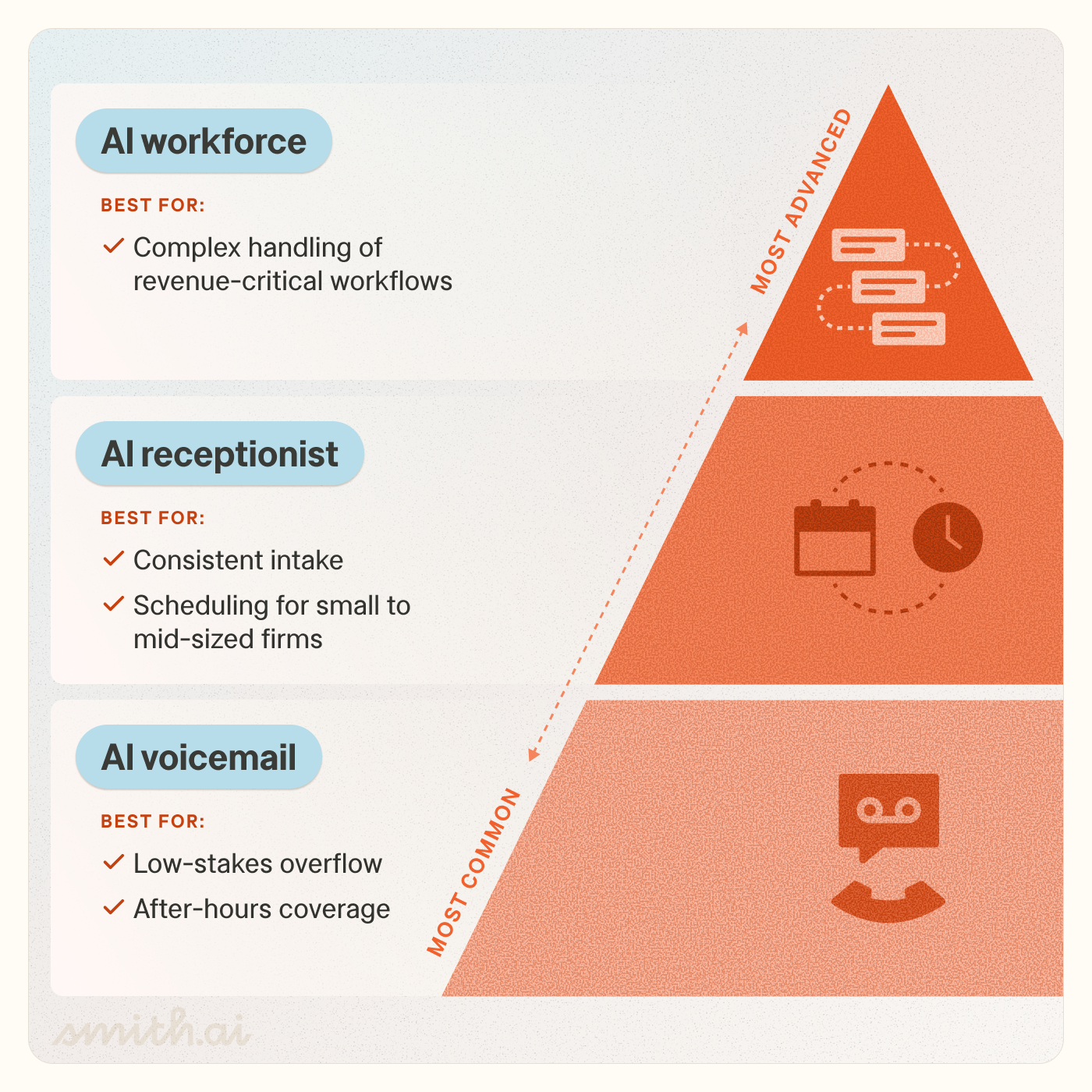
AI voicemail is the entry point of the category. These services can handle basic call answering, message-taking, spam-filtering, and simple menu routing ("Press 1 for billing, press 2 for support"). They're inexpensive and easy to set up, and the service tends to match the price point. Expect limited (if any) onboarding support, no proactive quality review, and a product trained on generic use cases rather than your specific workflows, caller types, or industry terminology.
Common use cases: Sole practitioners needing basic after-hours coverage, overflow protection for teams that already have primary coverage in place, personal use.
AI receptionists sit in the middle of the maturity curve. They handle structured intake: gathering caller information, asking qualifying questions, and capturing data in a usable format. Better systems integrate with your CRM, schedule appointments directly to your calendar, and send follow-up messages after a call. This is where most of the market is converging, which means "AI receptionist" can describe a well-engineered system with reliable integrations and natural-sounding audio, or a lightly packaged chatbot with a phone number attached.
Common use cases: Service businesses, medical and legal offices, agencies, any business that needs consistent intake and appointment scheduling.
At the top of the pyramid is a category that goes well beyond call answering. A true AI workforce solution operates as a fully integrated layer of your front office: multi-factor conditional call handling, real-time data lookups, bi-directional connection with your practice management system, and automation tailored to your specific operations. These systems don't just take calls. They run workflows, learn from each interaction, and replace the patchwork of a phone system, a receptionist, an answering service, and a CRM integration with a single coordinated system.
Common use cases: Large law firms, multi-location practices, high-growth companies where front-office consistency is tied directly to revenue.
The difference between AI voicemail and an AI workforce isn't just features — it's whether the system is answering your phones or running your front office.
Another distinction worth understanding before you start vendor conversations: the difference between AI-first, AI-only, and live agent call handling services.
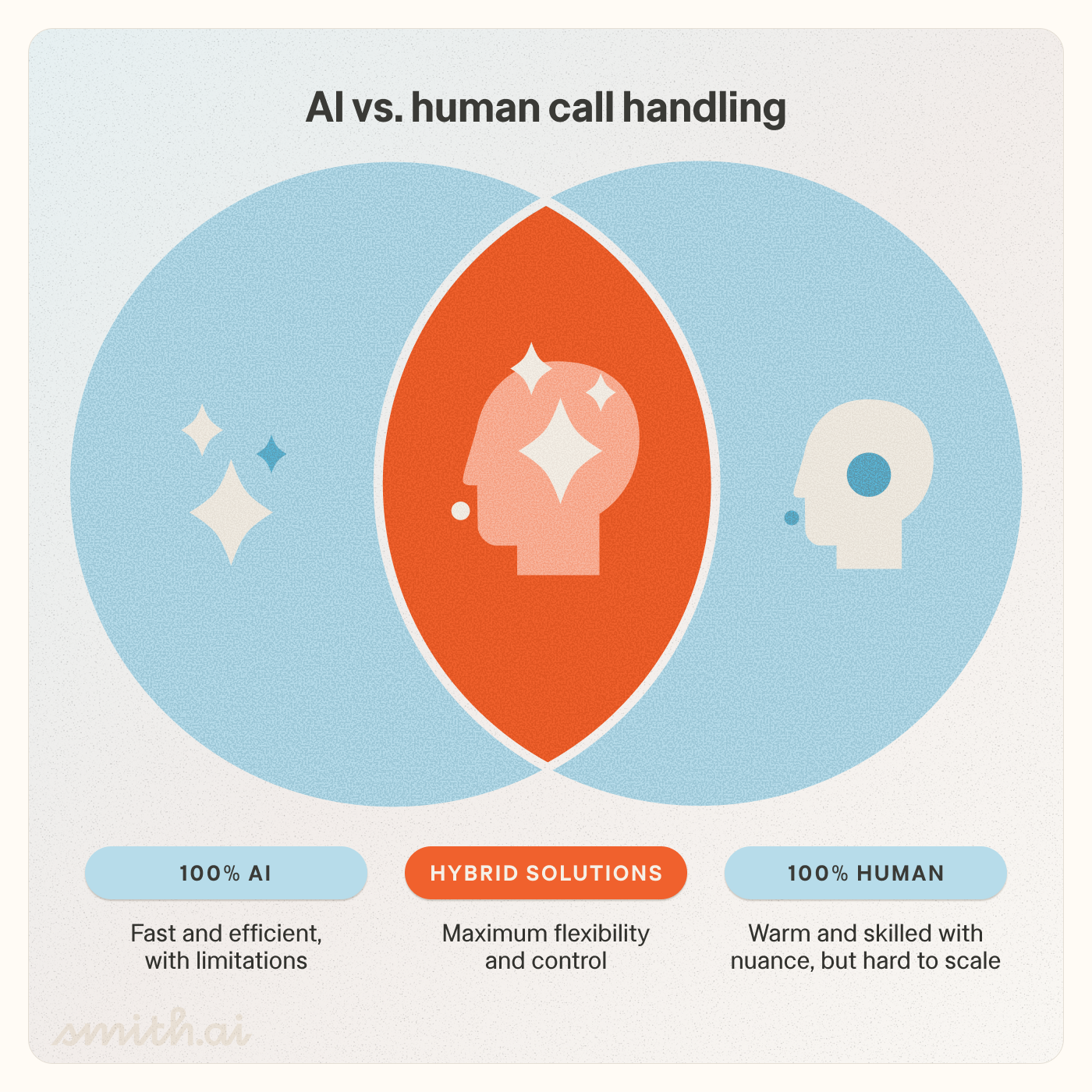
AI-only systems handle every call without human involvement. This is cost-efficient but creates a ceiling on quality. Complex situations, emotionally distressed callers, or edge cases that fall outside the AI's training can result in poor experiences with no safety net.
Live agent services are your traditional virtual receptionists: real humans handling every call. They may use AI in their tech stack — for example, to help a live agent identify the right call flow to use for a given caller — but callers will never speak with an AI agent. Quality virtual receptionist service is the most expensive option. Outsourced, offshore operations are less costly — and the least consistent.
Hybrid services use AI as the primary handler but route to trained human agents when the situation warrants it. You may also see these solutions referred to as “AI-first”. This combination tends to produce the best outcomes — the scalability and consistency of AI, with the empathy and judgment of a human when it matters most.
Here's what makes evaluating these systems so difficult: the features buyers typically evaluate — answering calls, routing, taking messages, scheduling — are visible above the surface. They're the easy things to demo. Every vendor can show you a polished call flow on a screen or role play an example scenario.
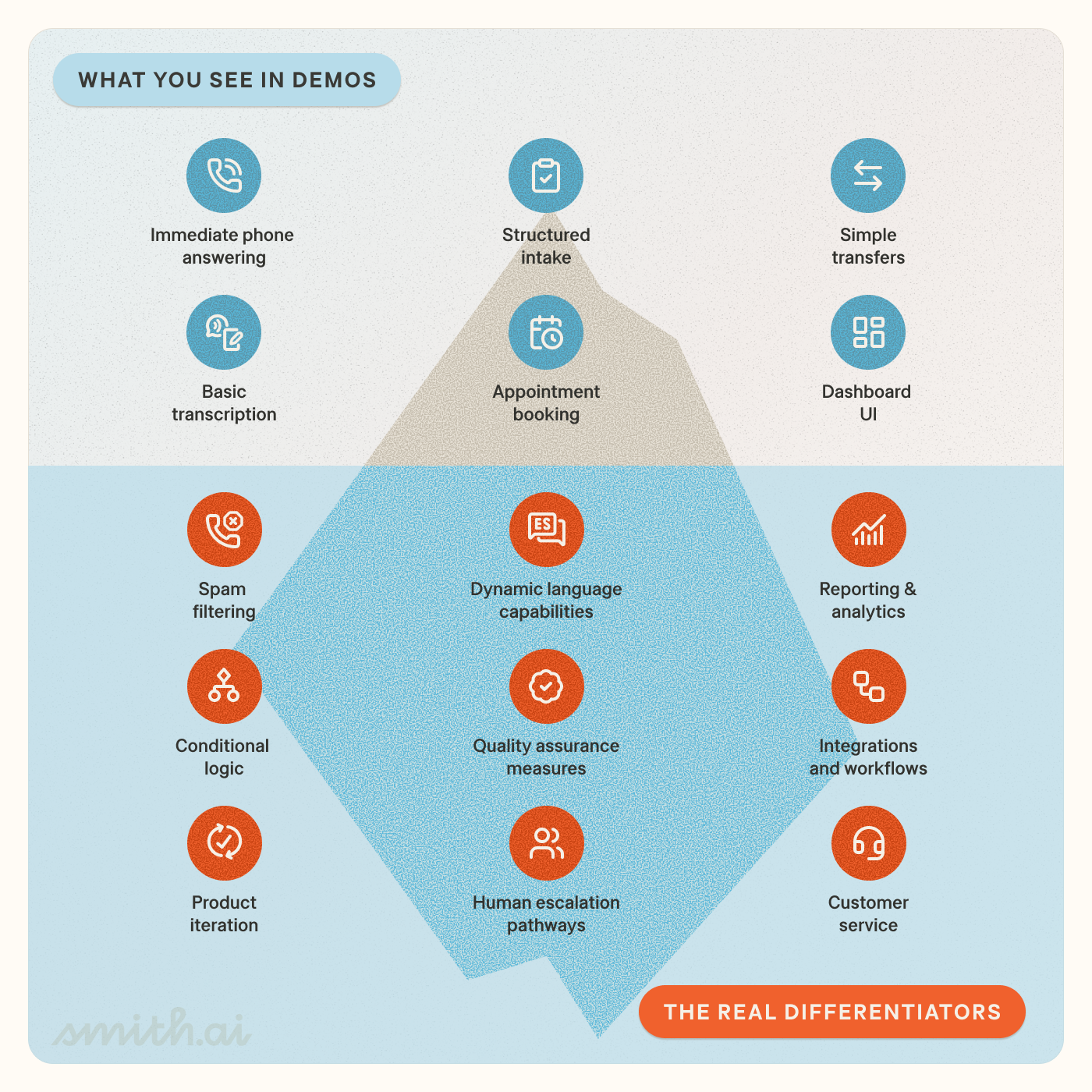
The real differentiators are below the waterline: Conditional logic. Real-time data lookup. Spam filtering that improves over time. Human escalation pathways. Quality assurance measures. Customer service operations. These are the capabilities that determine whether the system actually works at scale, six months after you've deployed it. When you're evaluating vendors, you need to push past the demo and get to the infrastructure underneath.
AI voicemail vs. AI receptionist vs. AI workforce
If you're a solo practitioner who needs basic after-hours coverage, AI voicemail may be sufficient. If missed calls cost you clients, if inconsistent intake means leads fall through, or if attorneys are fielding calls that shouldn't reach them, you need something further up the pyramid.
Map your current state:
The math tends to make the tier decision clear.
AI-only vs. AI-first vs. live agent services
For most law firms — especially those handling emotionally sensitive matters like family law, immigration, or criminal defense — an AI-only system creates risk. The question isn't whether your AI can handle most calls. It's what happens when it can't.
Demo features vs. real-world differentiators
Don't evaluate vendors solely on what you can see in a demo. Push into the infrastructure: How does the system handle heavy accents or emotional callers? What does the integration actually do when it fails? Who reviews performance and how often? The answers to these questions separate systems that work in ideal conditions from systems that work in your office — and prepare you for productive and efficient conversations.
Don't buy a tool. Build a system. The vendors who understand this distinction are the ones worth talking to.
In the next installment of The Law Firm’s Guide to AI Receptionists, we'll dig into the specific business requirements you should align on before evaluating any solution — including how to map your current workflows, identify integration requirements, and set realistic expectations for what AI can and can't do.
By the time you're in vendor conversations, you'll know exactly what you're looking for — and what to walk away from.
Stay tuned for The Law Firm's Guide to AI Receptionists, Part 2.
Want one-on-one help identifying the right tier for your business? Book a free consultation with a product expert.

Aaron is the CEO and co-founder of Smith.ai. Formerly CTO of The Home Depot and co-founder of Redbeacon, he also played a pivotal role in Google Video's inception and later led YouTube's monetization efforts.


%20(1).avif)